How to Get Your MySSS RCBC Card Online: A Step-by-Step Guide Using DiskarTech. Are you looking for a faster way to receive your SSS benefits, loans, or pension? The MySSS RCBC Card, powered by the DiskarTech app, is one of the most convenient options for SSS members today.
In this guide, we’ll walk you through the entire process—from the SSS portal to the RCBC DiskarTech app—so you can skip the long lines and manage your funds digitally.
Why Choose the MySSS RCBC Card?
The MySSS RCBC Card serves as a disbursement account for your SSS proceeds. Whether it’s for Sickness Benefits, Maternity Claims, or SSS Salary Loans, having this card linked ensures your money goes straight to your mobile wallet.
Key Benefits:
- Convenient Disbursement: Receive SSS claims directly.
- Digital Banking: Use the DiskarTech app for transfers, bills payment, and savings.
- No Maintaining Balance: Easy to open and maintain for every Filipino.
Phase 1: Linking RCBC as your Disbursement Account in the SSS Portal
Before you can use the card, you must first register RCBC as your chosen bank in the SSS system.
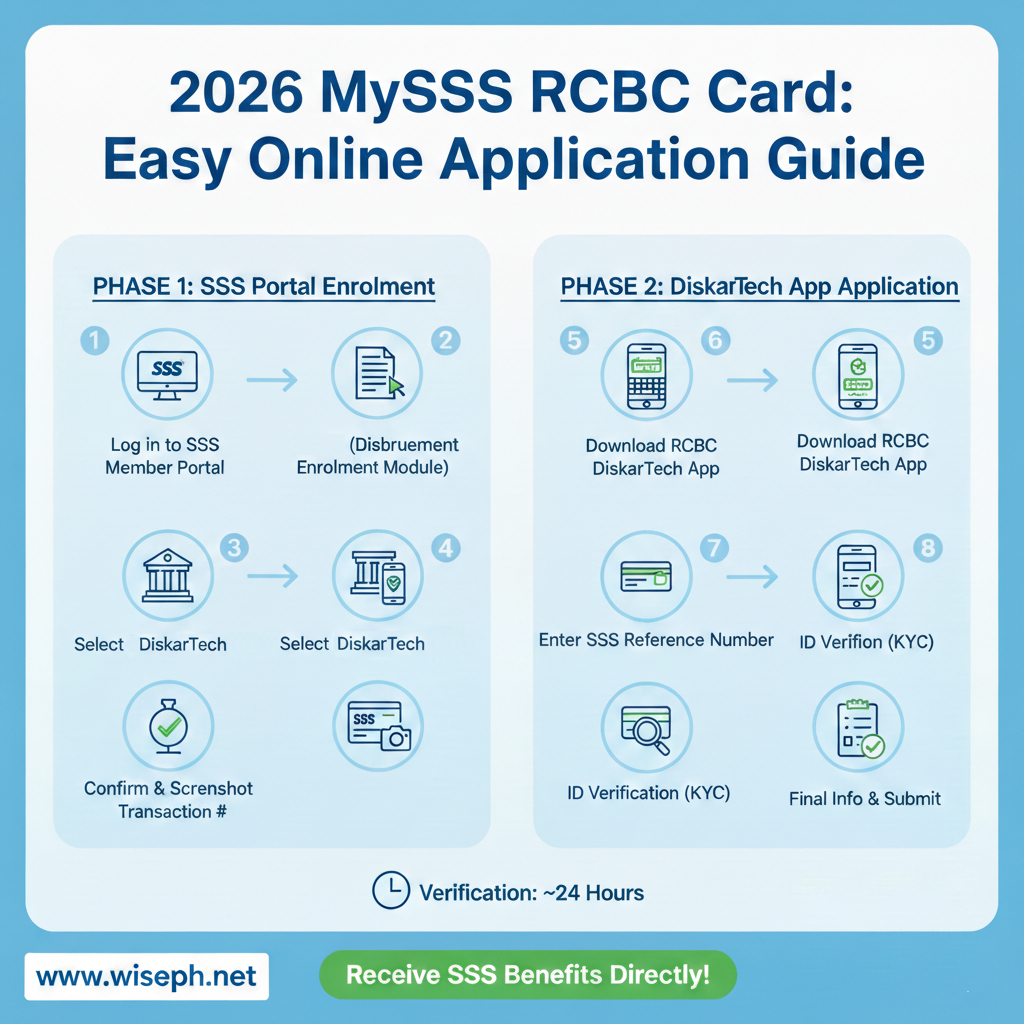
- Log in to SSS Member Portal: Go to the official SSS website and log in to your account.
- Access Disbursement Account Enrollment: Under the “Services” tab, look for the Disbursement Account Enrollment Module (DAEM).
- Select RCBC/DiskarTech: Choose RCBC from the list of banks for your card disbursement.
- Confirm and Submit: Read the terms, provide your consent, and submit the request. You will receive a transaction number—it is highly recommended to take a screenshot of this for reference.
Phase 2: Applying via the RCBC DiskarTech App
Once you’ve updated your SSS portal, you need to complete the application within the DiskarTech app to get your virtual or physical card.
- Download the App: Search for “RCBC DiskarTech” on the Google Play Store or Apple App Store.
- Enter SSS Reference: Open the app and input the SSS reference number you obtained from the portal.
- Verification (KYC): Prepare your valid IDs for the “Know Your Customer” process.
- Accepted IDs: You can use primary IDs or secondary IDs like a Student ID or Senior Citizen ID.
- Information Check: Double-check your SSS number and personal details to ensure they match your SSS records.
- Final Submission: Complete the additional information (income, employment, etc.) and click proceed.
How Long Does It Take?
After completing the application in the DiskarTech app, the verification usually takes about 24 hours. Once approved, your MySSS card will be active and ready to receive funds from SSS.
Pro-Tips for a Smooth Application:
- Keep your SSS info updated: Ensure your mobile number and email in the SSS portal match what you use in the DiskarTech app.
- Clear ID Photos: When uploading your ID, make sure the text is readable and the photo is clear to avoid rejection.
- Secure your Transaction Number: Always save the confirmation screen after enrolling your disbursement account in the SSS portal.
Conclusion
Getting your MySSS RCBC Card via DiskarTech is a game-changer for SSS members who want a seamless, digital-first experience. By following these steps, you can ensure that your future SSS loans and claims are handled safely and quickly.
For more tutorials on SSS and digital banking, stay tuned to the latest updates. Get the latest, most relevant news, only on Wise News Philippines. Stay informed, stay ahead, and stay up-to-date with Wise News.