


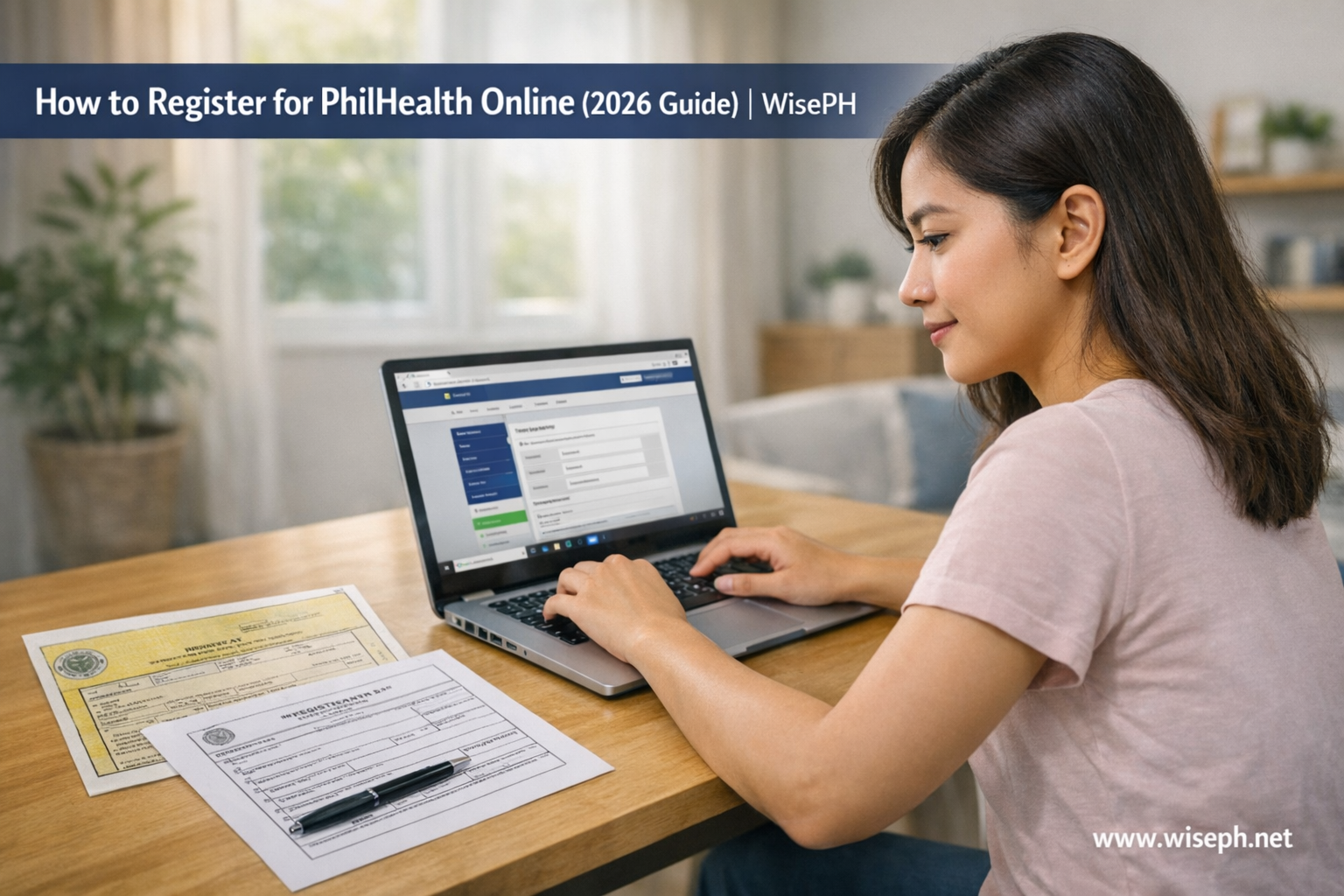
If you’ve searched “how to register PhilHealth online” and ended up more confused than when you started, you’re not alone. The process looks simple on paper. In practice, the portal is strict, the error messages tell you nothing useful, and a single blurry scan can get your whole application thrown out without any explanation.
This guide covers the full process for 2026, including who actually needs to register online, what causes instant rejections, and the new SPA requirement that caught thousands of members off guard when it rolled out in April 2026.
Who actually needs to register for PhilHealth online?
If you’re employed, your employer registers you. You don’t do it yourself. Online self-registration is for self-employed workers, freelancers, OFWs, and voluntary members only.
This is the part most guides skip, and it causes a lot of confusion. Many employed Filipinos try to register online because nobody told them their employer was handling it. That creates duplicate records that PhilHealth then has to fix manually.
| Member type | Who registers? |
|---|---|
| Employed (private or government) | Employer files the PMRF; you get enrolled automatically |
| Self-employed / freelancer | You register yourself online |
| OFW (land-based or sea-based) | You register online or through the consulate |
| Voluntary member (previously employed) | You update your membership yourself |
| Indigent / senior citizen (covered by government) | No action needed |
If you’re employed, your only task is to wait for your employer to give you your PhilHealth Identification Number (PIN) and Member Data Record (MDR). Once you have both, log into the Member Portal to verify your details are correct.
If you’re self-employed (whether you run a small business, freelance online, drive for a rideshare app, or sell on Shopee), you handle registration yourself. The same applies to OFWs and anyone switching from employed to self-employed status.
Documents you need before you start
You need four things: a filled PMRF, a government-issued ID, a PSA birth certificate, and proof of income. Missing any one of them gets your application instantly disregarded.
| Document | What to know |
|---|---|
| PhilHealth Member Registration Form (PMRF) | Download from philhealth.gov.ph. Fill in CAPITAL LETTERS. Sign manually (no e-signatures). |
| Valid government-issued ID | Passport, Driver’s License, PhilID, SSS ID, Voter’s ID, or PRC ID. Name must match PMRF exactly. |
| PSA birth certificate | Must match name on PMRF exactly. Even a missing middle initial can cause problems later. |
| Proof of income | ITR, notarized Affidavit of Income, DTI permit, or bank statement. Required for self-employed and voluntary members. |
| Valid email address | One email per application only. Never reuse an email tied to a previous attempt. |
Why exact name matching matters
Your name on the PMRF must match your PSA birth certificate exactly. Even a missing middle initial or wrong suffix (“Jr.” vs “Jr”) can cause a “no matching record” error later, especially when your hospital files a claim on your behalf. Many Filipinos discover this mismatch only when they’re already in the hospital, which is not a good time to find out.
Scan quality makes or breaks your application
The portal rejects blurry or incomplete uploads immediately. Scan at 300dpi and keep each file under 5MB. Use Chrome or Edge for submission. Other browsers cause upload errors that the system blames on your documents rather than the browser.
How to register for PhilHealth online: step by step
Go to the official PIN application page, upload your documents, and submit. Your 12-digit PIN arrives by email within 3 to 5 working days.
Before you upload anything
Download the PMRF from the official PhilHealth site. Fill it out in CAPITAL LETTERS. Under “Registration Type,” tick “Registration” if you’re new, or “Updating/Amendment” if you already have a PIN and are switching member types. Select your correct member type: Self-Earning Individual, OFW Land-Based, OFW Sea-Based, or Voluntary.
Sign the form with an actual pen. Electronic signatures are not accepted and will get your application disregarded.
Submitting your application
- Go to memberinquiry.philhealth.gov.ph/member/pinApplication.xhtml
- Fill in your personal details exactly as they appear on your documents.
- Upload your PMRF, valid ID, PSA birth certificate, and proof of income.
- Tick the data privacy agreement and click Submit.
- Check your email immediately. An acknowledgment should arrive within minutes. If it doesn’t, check your spam folder.
- Wait 3 to 5 working days. Your 12-digit PIN arrives in a separate email from PhilHealth.
One honest warning: the portal’s error messages are useless. When something goes wrong, it just says “An error was encountered” or “Please upload all required member documents,” with no explanation of which file failed or why. This is a known issue that’s been blowing up on Reddit again in April 2026. If you get disregarded, fix your documents and re-submit a fresh application. It’s common, so don’t panic.
What happens after you submit your application?
You get an acknowledgment email right away. Then PhilHealth reviews your documents for 3 to 5 working days. If everything is complete, your 12-digit PIN arrives in a separate email. If not, your application is disregarded and you re-submit.
Here’s how it unfolds day by day:
- Day 0 (submission): The system checks for completeness. If anything is missing or unreadable, the application is disregarded immediately and you get a vague email. If it passes, you get an acknowledgment.
- Days 1 to 5 (processing): PhilHealth reviews your documents manually. No updates during this window.
- Day 3 to 5: If approved, your PIN arrives by email. Save it permanently. You’ll use this number for hospital admissions, employment requirements, and contribution payments for the rest of your life.
If you hear nothing after 7 working days, email actioncenter@philhealth.gov.ph with your full name, birthdate, and a copy of your submitted documents.
What to do once your PIN arrives
Log into the Member Portal and download your Member Data Record (MDR). This is your official proof of membership and you’ll need to present it at hospitals. Register your preferred Konsulta provider to unlock free outpatient consultations and basic medicines.
If you’re self-employed or a voluntary member, generate your Statement of Premium Account (SPA) in the portal before making your first payment. This is not optional. As of April 1, 2026, PhilHealth requires all self-employed, voluntary, and OFW members to generate an SPA before every payment. GCash and partner banks will reject your contribution without it. Many members who registered earlier are still unaware of this rule, so generate the SPA before you try to pay.
How much does PhilHealth cost in 2026?
Self-employed and voluntary members pay 5% of their declared monthly income. The minimum is ₱500 per month (income of ₱10,000 or below). The maximum is ₱5,000 per month (income of ₱100,000 or above).
| Declared monthly income | Monthly premium |
|---|---|
| ₱10,000 or below | ₱500 |
| ₱20,000 | ₱1,000 |
| ₱30,000 | ₱1,500 |
| ₱50,000 | ₱2,500 |
| ₱100,000 or above | ₱5,000 (ceiling) |
Employed members split the 5% with their employer. You pay your share through salary deduction; your employer remits both shares. Self-employed and voluntary members shoulder the full 5% themselves.
You can pay monthly, quarterly, semi-annually, or annually through GCash, online banking, or over-the-counter at partner banks. If your income is irregular, many freelancers and online sellers declare ₱10,000 and pay ₱500 monthly to stay covered without financial strain. You can update your declared income later as your earnings grow.
PhilHealth is one of three mandatory government contributions, alongside SSS and Pag-IBIG. If you’re building your understanding of why each one matters, this breakdown of why SSS is important covers the benefits every Filipino worker is already paying for, many of which overlap with what PhilHealth covers.
Can OFWs register for PhilHealth online from abroad?
Yes. OFWs use the same Member Portal at memberinquiry.philhealth.gov.ph. The only differences are the member type selection and the supporting documents required.
| Document | OFW-specific details |
|---|---|
| PMRF | Select “Migrant Worker”; tick Land-Based or Sea-Based |
| Valid ID | Passport or overseas ID (instead of domestic ID) |
| Employment contract / job order | Proof of active work abroad |
| OEC (Overseas Employment Certificate) | Or any proof of current deployment |
Processing takes 3 to 5 working days, same as local applicants. Your PIN arrives by email.
Many OFWs also use an alternative channel: email scanned documents to ofp@philhealth.gov.ph (the Overseas Filipinos Program). You can also submit at any Philippine Consulate or Embassy, or through remittance partners like iRemit or Ventaja in your host country. Some find this faster and more reliable than the portal, especially if you’re in a country with poor internet access.
OFWs pay the same 5% contribution rate and shoulder 100% themselves. Payments can go through remittance centers, online banking, or GCash from abroad.
Common mistakes that get PhilHealth applications rejected
The portal gives you no useful error messages, so these seven mistakes are hard to diagnose after the fact. Know them before you start.
The error message problem
The portal has one major flaw: when it rejects your application, it doesn’t tell you what went wrong. You get a generic email saying your application was “disregarded.” No checklist, no indication of which file was the issue. Other government portals like BIR and SSS e-Services already show real-time validation errors. PhilHealth’s portal still doesn’t, as of April 2026.
If you get disregarded, the fix is simple: go through the checklist above, fix every possible issue, and re-submit a fresh application. Don’t submit multiple times at once. Wait for a disregard email before trying again.
How to actually use your PhilHealth benefits
Once you have your PIN and MDR, the hospital does most of the work for you. You present your PIN and MDR at the billing window. The hospital files the PhilHealth Claim Form 1 and deducts the benefit from your bill before discharge. You don’t submit anything yourself in most cases.
Inpatient case rates: what PhilHealth actually covers
The most used benefit is the inpatient case rate. For each condition, PhilHealth pays the hospital a fixed peso amount, not a percentage of your total bill. A pneumonia admission, for example, has a specific case rate that covers part of your room, medicines, labs, and doctor fees.
Here’s the part people only discover when they’re already at the billing window: if you’re in a private hospital or a private room, you can still owe tens of thousands in balance billing even after PhilHealth pays. The only scenario where your out-of-pocket cost is zero is under No Balance Billing (NBB), which applies to government hospital ward rooms. As of 2025 to 2026, NBB covers all PhilHealth members, not just indigents.
Before any admission, ask the billing staff: “How much will PhilHealth cover for my specific case, and does No Balance Billing apply here?”
Outpatient Konsulta: the underused benefit
Register a Konsulta provider in the Member Portal after you get your PIN. This gives you free consultations, basic labs, and medicines at your registered clinic. Most members skip this step, then pay out of pocket for checkups they could get for free. It takes five minutes to set up and is worth doing on day one.
PhilHealth covers hospitalization, but it works alongside other government programs for broader protection. If you want to know how SSS sickness benefits work when you’re too sick to work (a separate benefit that applies even when PhilHealth covers your hospital bill), that guide walks through the full claim process.
Getting your government contributions in order is a smart financial move at any income level. For more on building a solid financial foundation as a Filipino worker or freelancer, browse our guides on government savings and investments.
Frequently asked questions
Can I register for PhilHealth online if I have no income?
Yes. First-time members with no income can declare zero on the PMRF and apply for a PIN. However, you need to start paying contributions (minimum ₱500 per month) to activate full benefits. PhilHealth coverage is not active on a zero-contribution account.
How do I know if I already have a PhilHealth number?
Log in to the Member Portal at memberinquiry.philhealth.gov.ph and check under “Member Inquiry.” If you were employed before, your employer may have registered you already. You can also call the PhilHealth hotline at (02) 8441-7442.
What if my PhilHealth online application was disregarded?
Fix the specific issue (usually a missing document, blurry scan, or name mismatch), then re-submit a fresh application. There is no penalty for reapplying. Do not submit multiple times at once; wait for the disregard notification before trying again.
Can I register my dependents online?
Yes, through the Member Portal once you have your PIN and MDR. You need birth certificates for children and a marriage certificate for a spouse. Add dependents before any hospital admission to make sure they are covered.
I am switching from employed to self-employed. Do I need to re-register?
No. You keep your existing PIN. Submit an amended PMRF marked “Updating/Amendment,” change your member type to “Self-Earning Individual,” declare your new income, and attach proof of income. This can be done at any PhilHealth Local Health Insurance Office (LHIO) or by email to your local office.









Comments 3